Integrating a Power over Ethernet (POE) splitter into an existing network can significantly enhance the flexibility and functionality of your network infrastructure. As a POE splitter supplier, I’ve had the privilege of working with numerous clients to seamlessly incorporate these devices into their setups. In this blog, I’ll share some insights and practical steps on how to integrate a POE splitter into an existing network. POE Spliter

Understanding POE Splitters
Before delving into the integration process, it’s essential to understand what a POE splitter is and how it works. A POE splitter is a device that separates the power and data signals carried over a single Ethernet cable. This is particularly useful when you have non – POE devices that need to be powered and connected to a network.
POE technology allows both power and data to be transmitted simultaneously over Ethernet cables, typically using the IEEE 802.3af or 802.3at standards. However, not all devices support POE. That’s where a POE splitter comes in. It takes the combined power and data signal from a POE switch or injector and splits it into separate power and data outputs, enabling non – POE devices to connect to the network and receive power.
Assessing Your Network
The first step in integrating a POE splitter is to assess your existing network. You need to determine the following:
1. POE Compatibility
Check if your network has a POE – enabled switch or injector. Most modern enterprise – grade switches support POE, but it’s important to verify the power output capabilities. Different POE standards (such as 802.3af and 802.3at) provide different levels of power. For example, 802.3af can supply up to 15.4 watts, while 802.3at can provide up to 30 watts. Make sure the POE source can provide enough power for the devices you plan to connect through the splitter.
2. Device Requirements
Identify the non – POE devices you want to connect. Determine their power requirements (voltage and current) and data connection needs. This information will help you choose the right POE splitter. For example, if you have a device that requires 12 volts of power, you need a splitter that can output the appropriate voltage.
3. Network Topology
Understand your network’s physical layout and topology. Consider the distance between the POE source, the splitter, and the non – POE device. Ethernet cables have a maximum distance limit (usually around 100 meters for Cat5e and Cat6 cables). If the distance is too long, you may need to use signal boosters or repeaters.
Choosing the Right POE Splitter
Once you’ve assessed your network, it’s time to choose the right POE splitter. Here are some factors to consider:
1. Power Output
As mentioned earlier, match the power output of the splitter to the power requirements of your non – POE device. Make sure the splitter can provide the correct voltage and current.
2. Data Compatibility
Ensure that the splitter supports the data speed and protocol of your network. Most splitters support Ethernet speeds up to Gigabit Ethernet (1000 Mbps), but it’s important to double – check.
3. Form Factor
Consider the physical size and form factor of the splitter. Some splitters are designed for desktop use, while others are more suitable for rack – mounting in a data center.
Installation Process
The installation of a POE splitter involves several steps:
1. Power Off the Network
Before starting the installation, power off the POE switch or injector and the non – POE device. This ensures your safety and prevents any potential damage to the equipment.
2. Connect the POE Source
Connect one end of an Ethernet cable from the POE – enabled switch or injector to the input port of the POE splitter. Make sure the connection is secure.
3. Connect the Non – POE Device
Connect the data output port of the POE splitter to the network interface of the non – POE device using another Ethernet cable. Then, connect the power output port of the splitter to the power input of the non – POE device using the appropriate power cable.
4. Power On the Network
Once all the connections are made, power on the POE switch or injector and then the non – POE device. Check if the device is receiving power and can connect to the network.
Troubleshooting
If you encounter any issues during the integration process, here are some common troubleshooting steps:
1. Check the Connections
Ensure that all the Ethernet and power cables are properly connected. Loose connections can cause power or data transmission problems.
2. Verify Power Output
Use a multimeter to check the power output of the POE splitter. Make sure it is providing the correct voltage and current.
3. Check the POE Source
Verify that the POE switch or injector is functioning correctly. You can test it by connecting a POE – compatible device directly to it.
Benefits of Integrating a POE Splitter
Integrating a POE splitter into your existing network offers several benefits:
1. Cost – Efficiency
Using a POE splitter eliminates the need for separate power supplies for non – POE devices. This reduces the overall cost of network installation and maintenance.
2. Flexibility
It allows you to connect non – POE devices to a POE network, increasing the flexibility of your network infrastructure. You can easily add new devices without having to install additional power outlets.
3. Simplified Installation
The installation process is relatively simple, especially compared to running separate power and data cables. This saves time and effort during network setup.
Conclusion
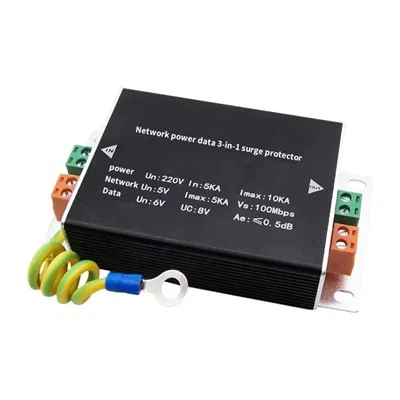
Integrating a POE splitter into an existing network is a straightforward process that can enhance the functionality and flexibility of your network. By following the steps outlined in this blog, you can ensure a smooth integration. If you’re looking for high – quality POE splitters for your network, we are here to help. Our POE splitters are designed to meet the highest standards of performance and reliability. We offer a wide range of products to suit different network requirements. Whether you’re a small business or a large enterprise, we can provide the right solution for you.
IP Camera If you’re interested in learning more about our POE splitters or have any questions about integrating them into your network, please feel free to contact us. We’re always ready to assist you in making the best decisions for your network infrastructure.
References
- "Power over Ethernet: Design and Implementation" by Richard Deal
- IEEE 802.3af and 802.3at standards documentation
Shenzhen D-vitec Industrial Co., Ltd.
We are one of the most professional poe spliter manufacturers and suppliers in China, also support customized service with low price. We warmly welcome you to buy discount poe spliter made in China here from our factory. Contact us for quotation.
Address: Room A, 2/F, Block 11, Yusheng Industrial Zone, Xixiang Street, Bao’an District, Shenzhen, China
E-mail: marketing@d-vitec.com
WebSite: https://www.dvitech-camera.com/
